Get Expert IT Solutions For Your Business – Natural Group

-91 9090909090

support@nscspl.in

e-MAP(ERP)

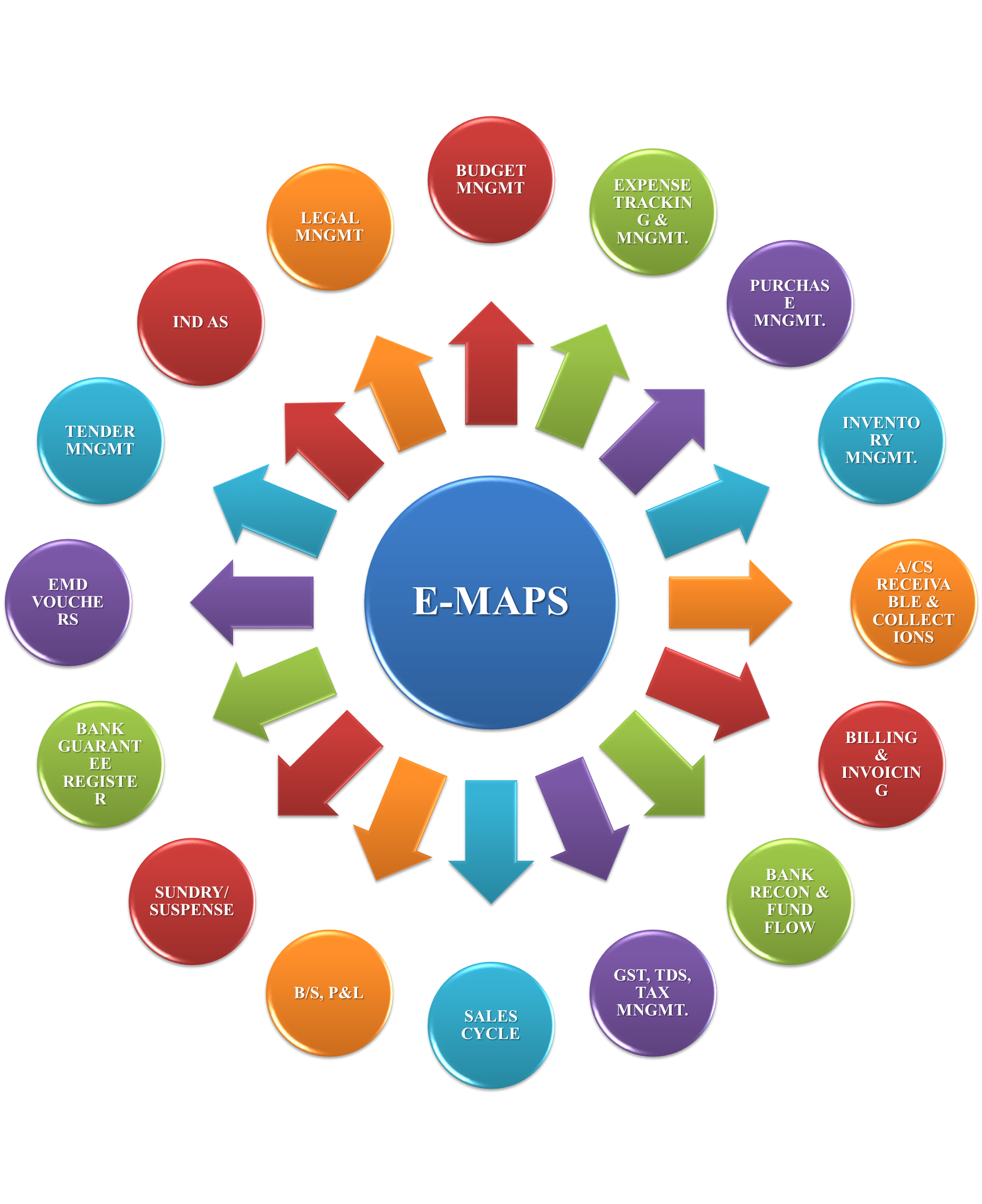
ERP is the lifeline for any organization. e-MAPS, provides Budget Management, Fund Management, Accounting, Inventory, Purchase and Sale Management, AR and AP, Taxation (TDS and GST), Bank, Stock and beyond.

Management Application Processing System

Budget Management

  • Create Budget Heads
  • Link Budget to Accounting structure, Overheads
  • Budget defining for Opex and Capex
  • Budget revisions
  • Adhoc Budget

Inventory Management
Purchase of inventory /Fixed Asset / Consumables, Invoices for Artist Stock Maintenance Issue of stock to:

  • Work in Progress
  • Individual staff
  • Project

Transfer of stock between offices taking care of GST Issue of Stock to Fixed Asset:

  • Direct purchase
  • From WIP to FA
  • Put to use of Fixed Asset to initiate Depreciation

Stock / Fixed Asset to:

  • Dead Stock
  • Scrap
  • Sale of Scrap

Fund Flow, Taxes and Recon:

  • Book your liabilities
  • Each Office can raise Fund Request mapped to their Budget and expenses incurred and planned
  • Accounts team to assess each requirement and decide on approval of funds
  • Approval for payment
  • Payment with proper UTR details
  • Sale and Receipt Management
  • Bank Reconciliation easy and seamless
  • GST reconciliation
  • Bill to Bill Reconciliation
  • Suspense Account Management and Reconciliation

Sales Management

  • Receipt of Order
  • Sale Invoice
  • Sale Release Note
  • Sales Packing Slip
  • Billing & Invoicing
  • Collections
  • Accounts Receivable
     

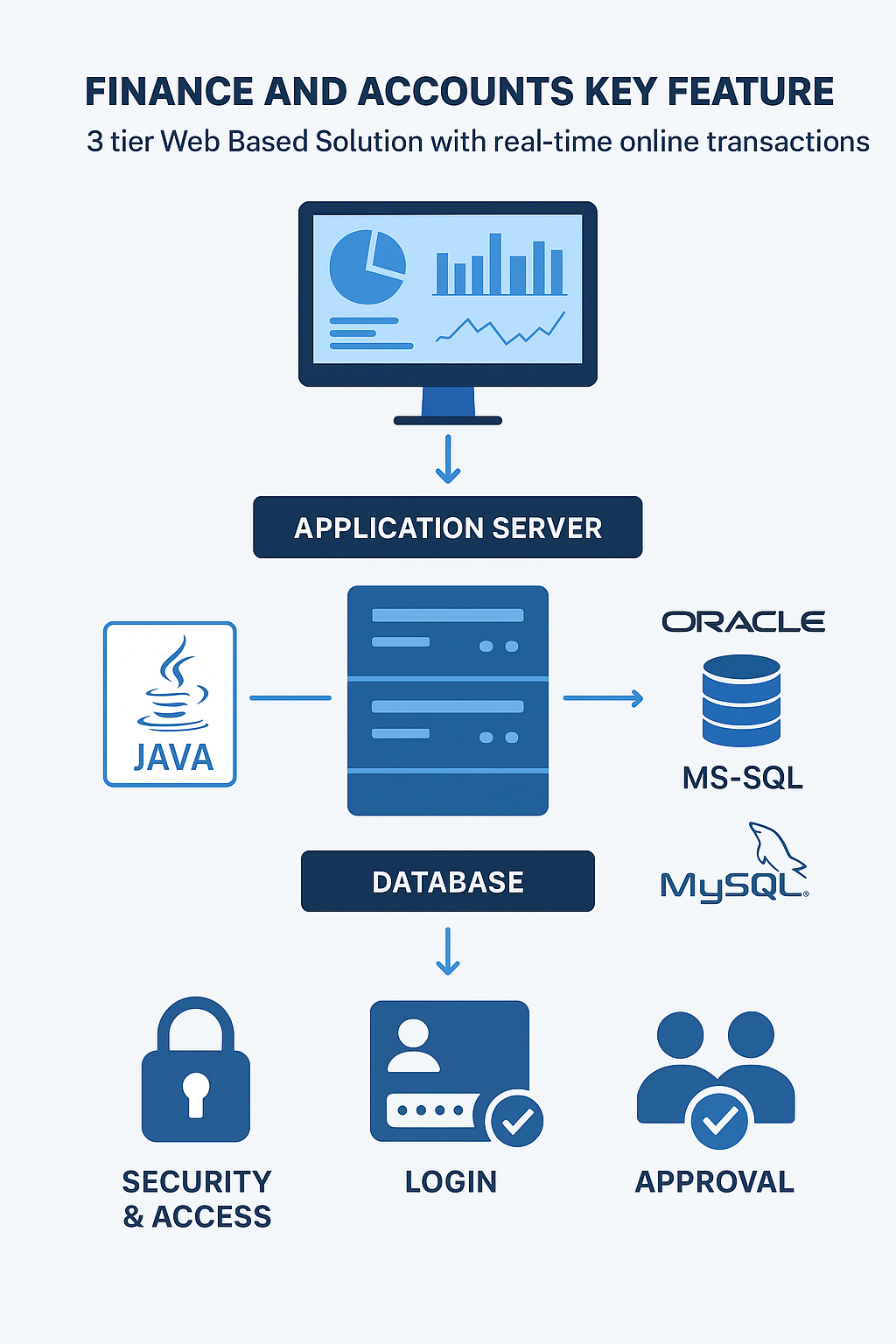
Finance and Accounts Key Feature

3 tier Web based Solution with real time on line transactions.

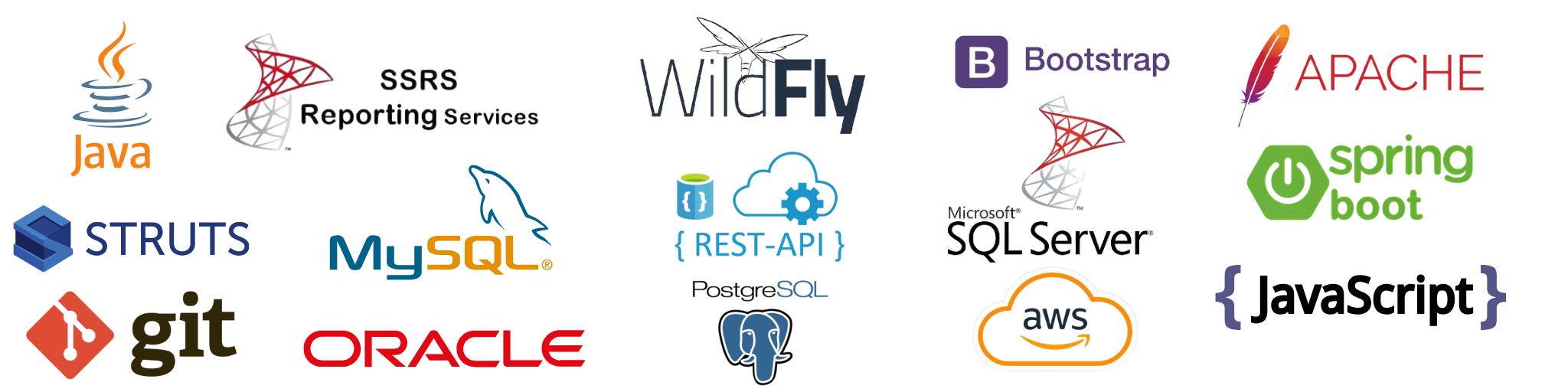
Built on scalable technology with robust functionality (JAVA) .

  • Platform Supported – Unix, Linux, Windows.
  • Database Supported – Oracle 11g, MS-SQL , MySQL. PG SQL.
  • App servers Supported – JBoss, Weblogic, Websphere, WASCE.
  • Single DATA BASE for all connected offices.
  • MIS generated from Central server with Batch processes running on main database.
  • Access is through user login.
  • Maker checker concept and Approval Level Parameter concept available.
  • User defined access control for Addition/ Modification available i.e. Access Rights.

Security features:

  • Automatic logout of idle user after specified time available.
  • Minimum password length of 8 characters available.
  • User lock after predefined unsuccessful login attempts.
  • Force password change after predefined periods.
  • System does not accept user id as password.
  • Password is not same as old password

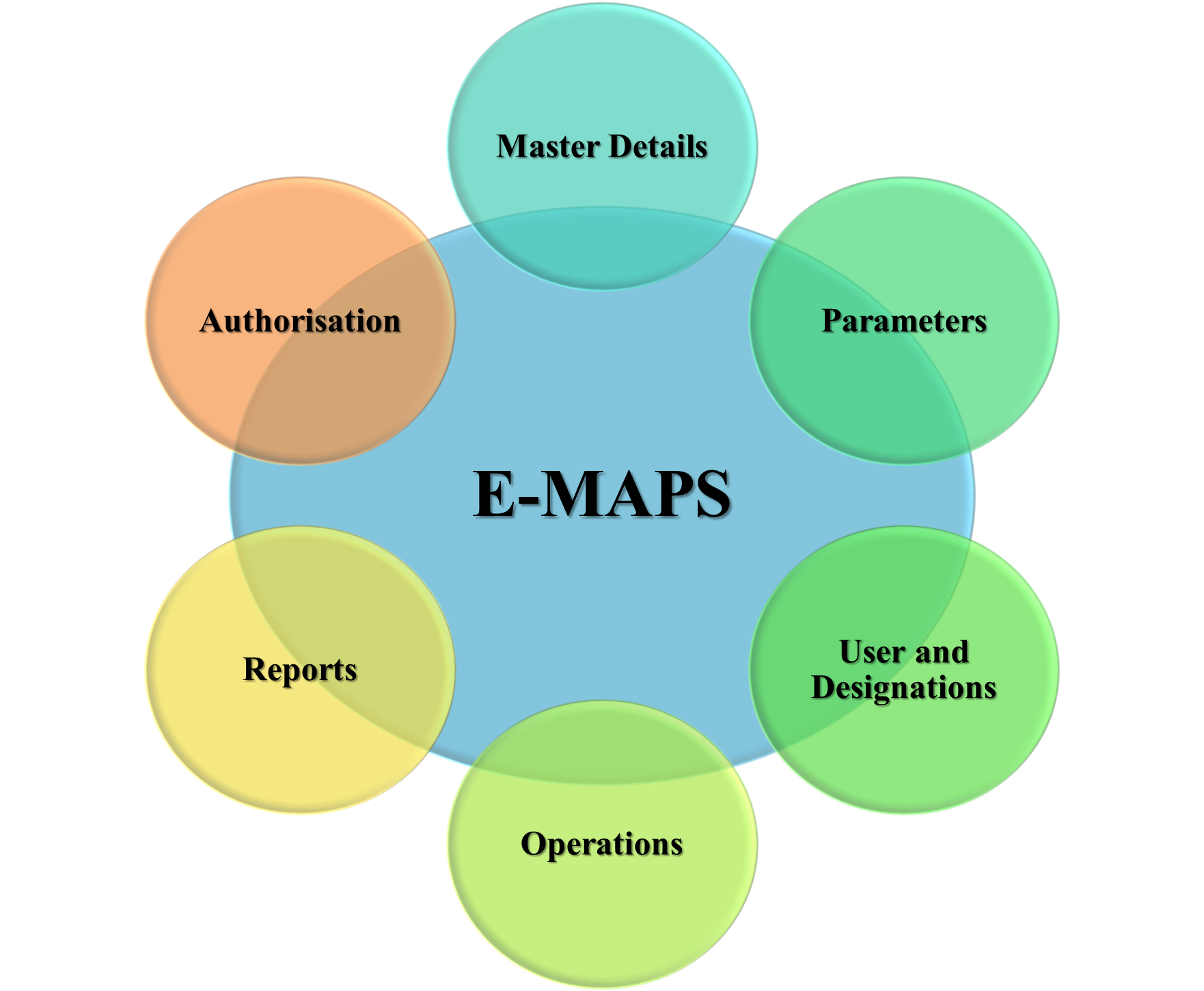
Master Data Creation- Features

Master Data Creation in E-MAPS provides a centralized process for creating and managing key business entities and their attributes, ensuring data consistency and accuracy for all modules.

Key Features:

  • Centralized management of core master records
  • Structured and validated data input
  • Role-based access for security
  • Edit and deactivate options for ongoing accuracy

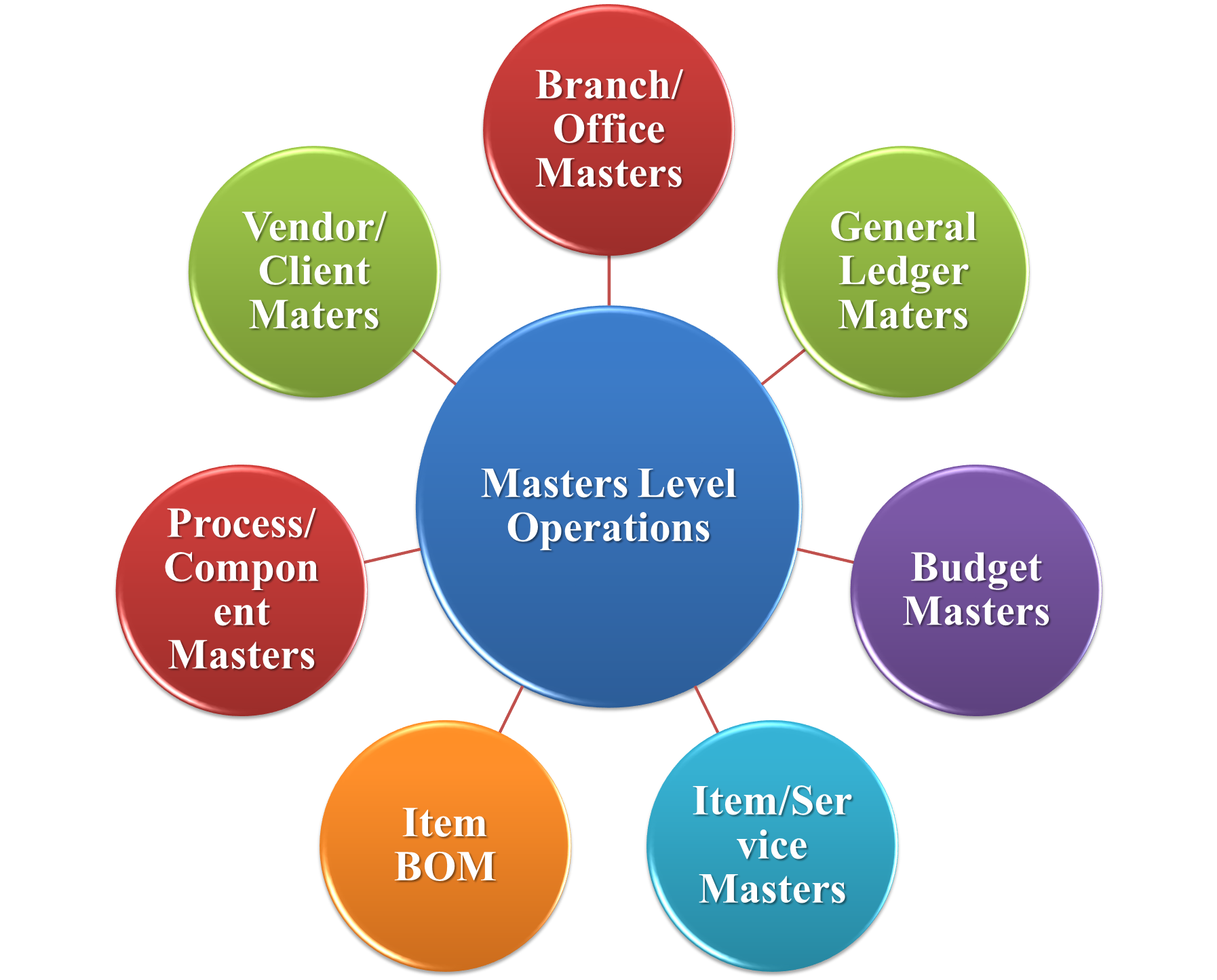
Master Level Operations

Master Level Operations in E-MAPS refer to the core operational master data that drives the daily functioning and transactions within the system. This encompasses essential master categories vital for business processes.

Content of Master Level Operations

  • Branch/Office Masters: Records of all organizational branches or offices, including their details for location-based operations.
  • Vendor/Client Masters: Information about vendors and clients to manage procurement, sales, and service relations.
  • General Ledger Masters: Core accounting elements capturing ledger accounts necessary for financial transactions.
  • Budget Masters: Setup of budget categories and limits for financial planning and control.
  • Item/Service Masters: Data on products and services offered or used by the organization.
  • Item BOM (Bill of Materials): Hierarchical structure defining components required to manufacture or assemble an item.
  • Process/Component Masters: Definition of processes and components involved in production or operations.

Inventory Management

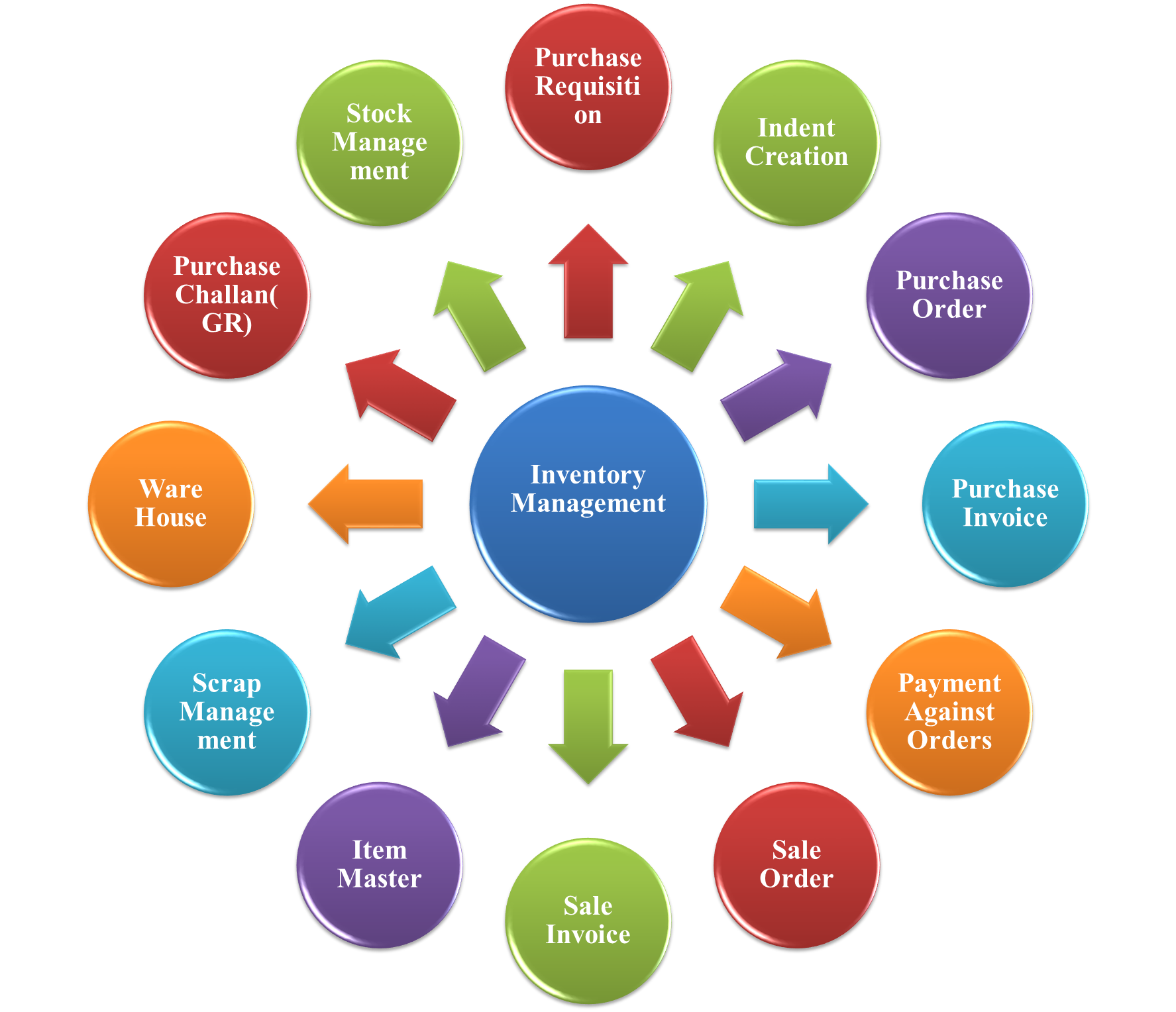
  • Purchase Requisition: Initiates material requests from departments for procurement approval.
  • Indent Creation: Consolidates multiple requisitions into a formal indent for purchase processing.

  • Purchase Order: Generates approved orders to vendors specifying items, quantities, and delivery schedules.

  • Purchase Invoice: Records supplier invoices and links them with corresponding purchase orders and challans.

  • Payment Against Invoices: Handles vendor payments based on approved invoices and goods receipt records.

  • Sale Order: Captures customer orders with item details, pricing, and delivery timelines.

  • Sale Invoice: Creates invoices for goods sold, automatically updating stock and financial ledgers.

  • Item Master: Maintains centralized item records including specifications, units, and categorizations.

  • Scrap Management: Tracks and disposes of unusable or obsolete inventory items in a controlled manner.

  • Warehouse: Manages multiple storage locations, bin tracking, and stock transfers.

  • Purchase Challan (GR):Records receipt of goods from vendors and updates stock in real time.

  • Stock Management: Monitors item availability, stock levels, and valuation with real-time updates across all locations.

Accounting

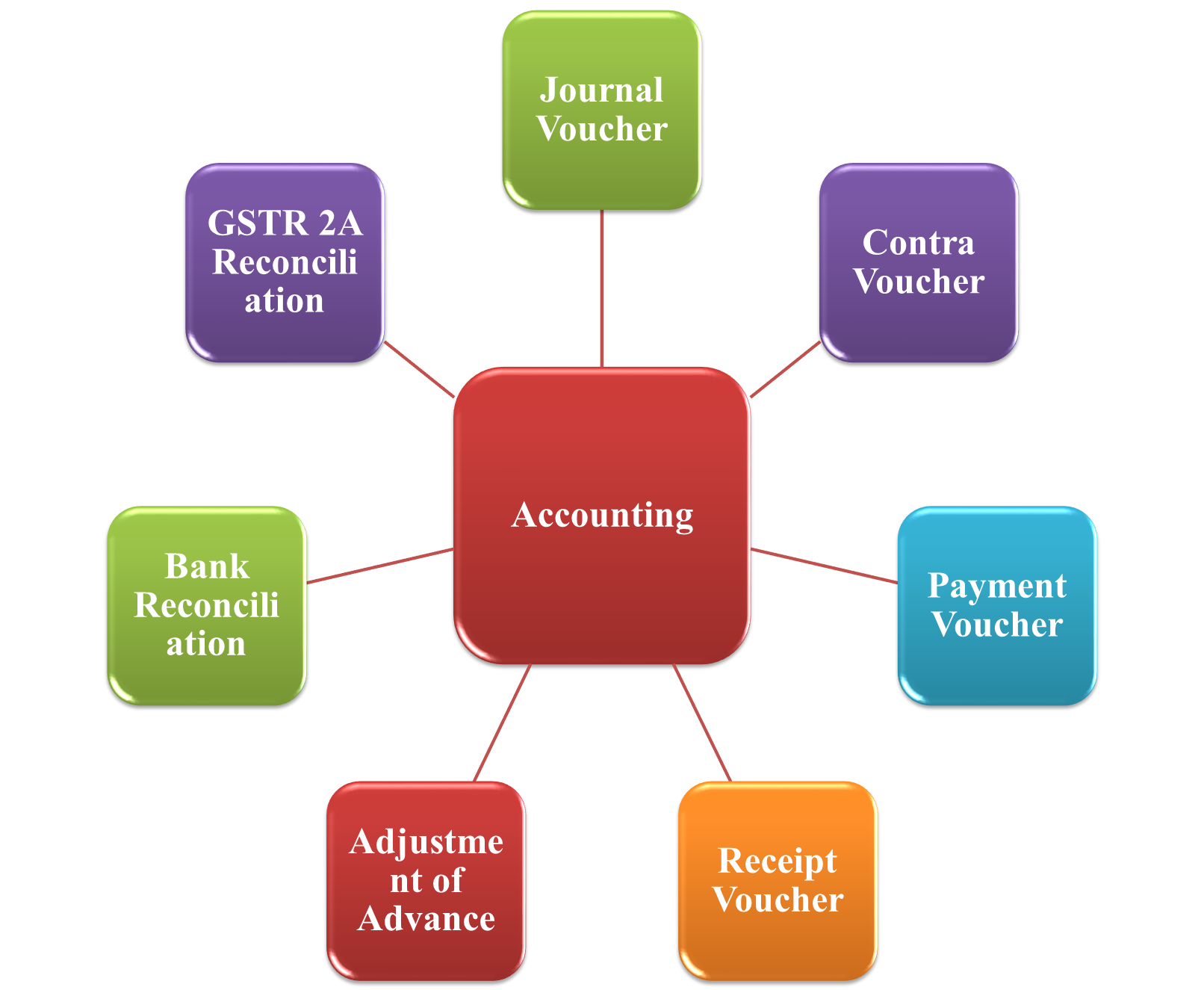
  • Journal Voucher: Used to document internal accounting entries, adjustments, and non-cash transactions.
  • Contra Voucher: Documents money transfers within the company between bank accounts and cash.
  • Payment Voucher: Records all outgoing payments made online, by bank transfer, or with cash.
  • Receipt vouchers: are used to track all incoming monies, including deposits, income, and payments from customers.
  • Advance Adjustment: Makes it easier to compare previously made advance payments to real bills or expenses.
  • Bank Reconciliation: Assists in accurately balancing the ledger balances and the organization’s bank statements.
  • GSTR 2A Reconciliation : In order to find input tax credit discrepancies, GSTR 2A Reconciliation compares purchase data from the GST site with internal purchase records.

Budget Management

Budgeting

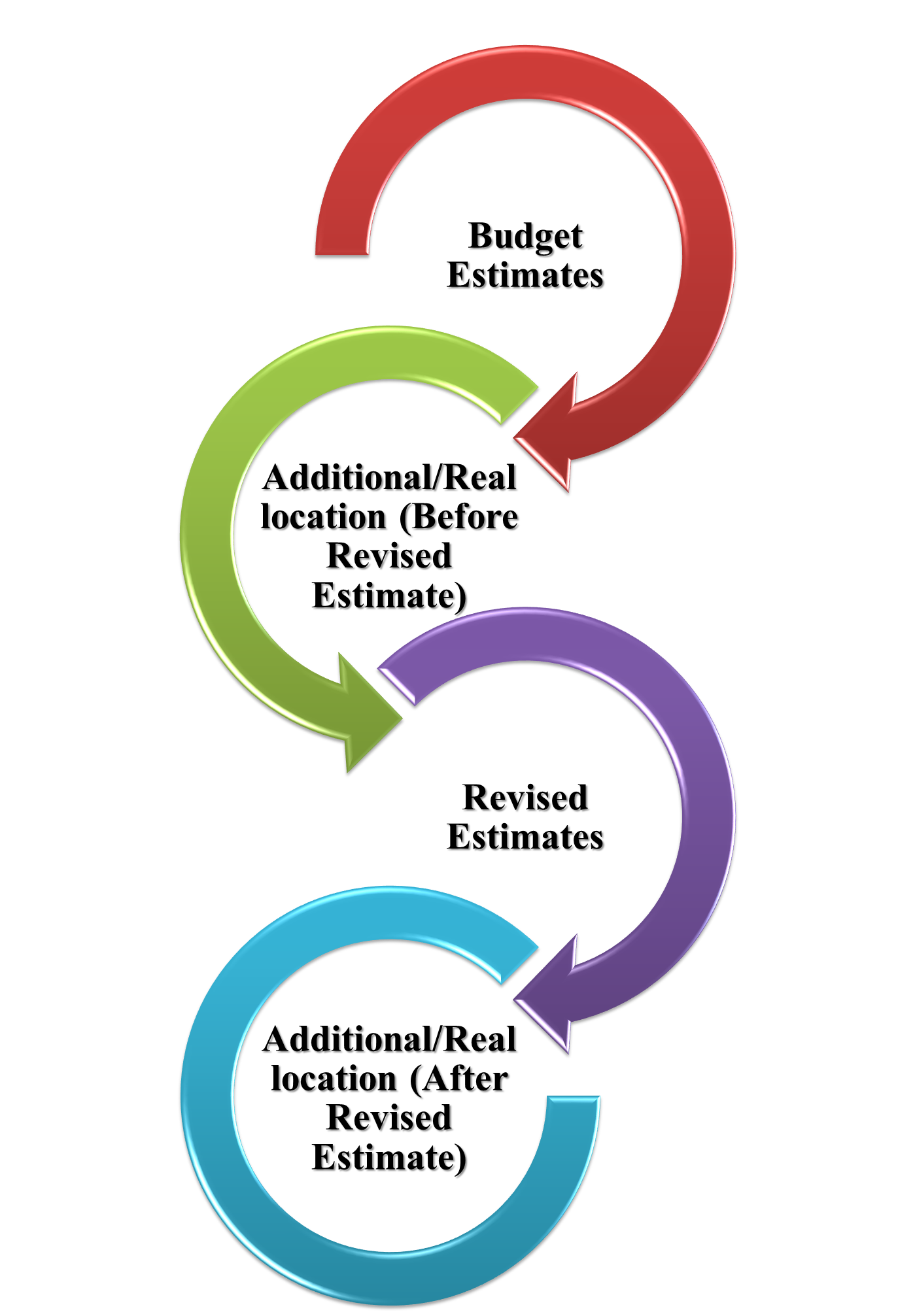
  • Budget Estimates: Prepare annual estimates based on planned activities and expenditure forecasts.

  • Additional/Reallocation (Before Revised Estimate): Manage fund adjustments or reallocations prior to mid-year review.

  • Revised Estimates: Update financial plans based on actual spending trends and revised priorities.

  • Additional/Reallocation (After Revised Estimate): Reallocate remaining funds to ensure optimal utilization before year-end.

Editing of Budget Allocation

  • Edit Budget Estimates: Revise initial budget projections to reflect updated organizational needs.

  • Edit Reallocations (Before Revised Estimate): Make corrections or adjustments to pre-revised fund distributions.

  • Edit Revised Estimates: Amend revised budget figures based on final expenditure outcomes.

  • Edit Reallocations (After Revised Estimate): Fine-tune allocations after final budget revision for better fund management

Fund Management

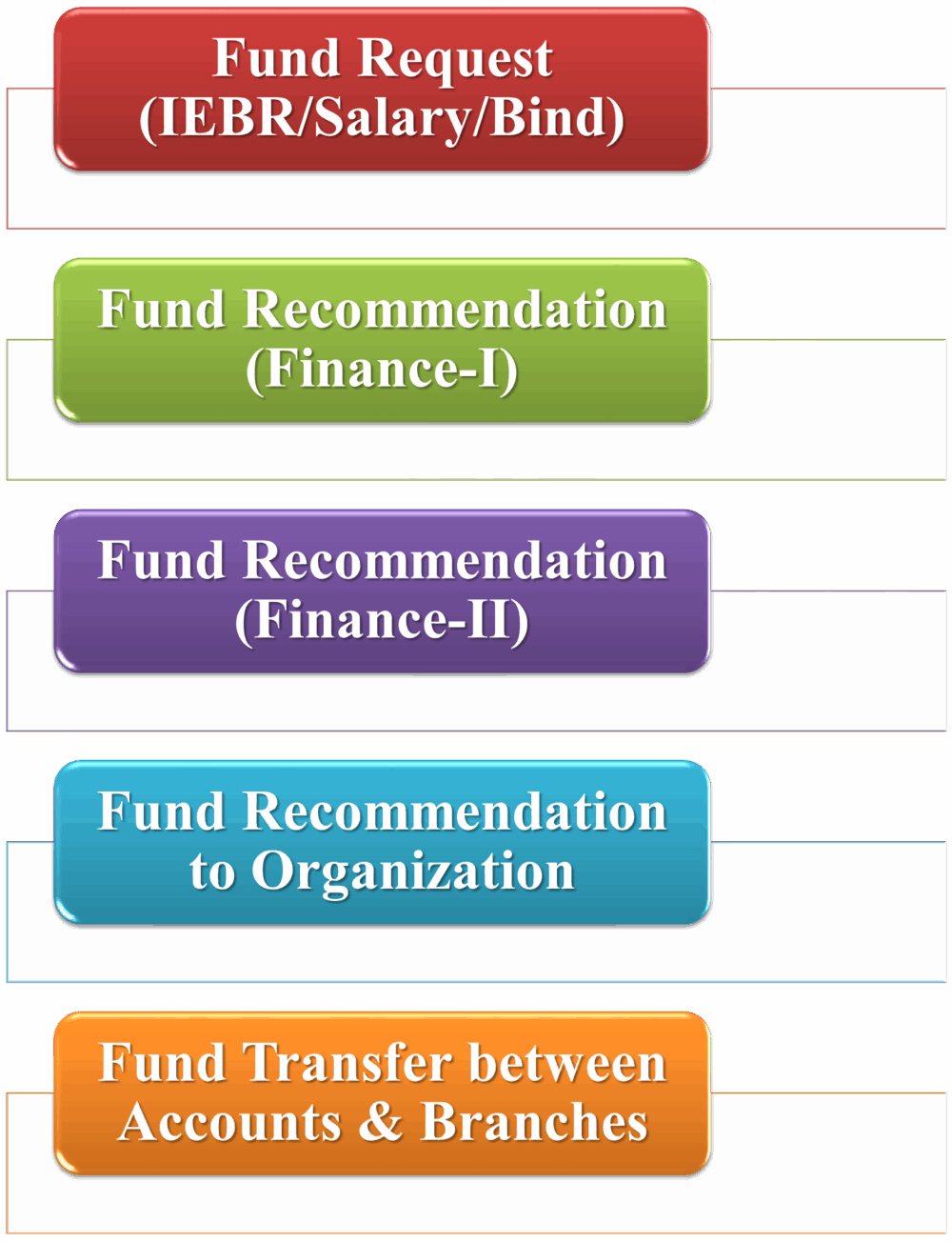
  • Fund Request (IEBR/Salary/Bind):
    Initiate fund requests for different categories like IEBR, Salary, or Bind with proper justification.

  • Fund Recommendation (Finance-I):
    First-level financial review and recommendation of fund requests based on budget availability.

  • Fund Recommendation (Finance-II):
    Second-level financial validation and approval ensuring compliance with allocation limits.

  • Fund Recommendation to Organization:
    Final recommendation and submission of approved fund requests to the concerned organization.

  • Fund Transfer between Accounts & Branches:
    Seamless transfer of approved funds across accounts or branches with full audit tracking.

Dashboard and Reports

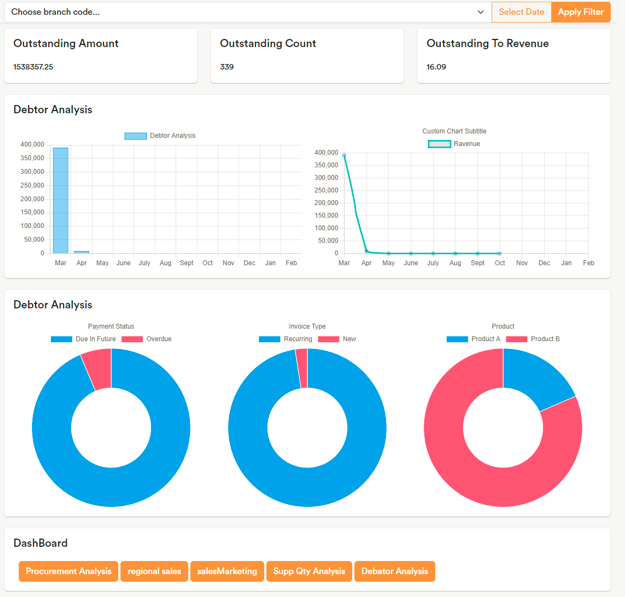
  • GST Outstanding: Monitor pending GST liabilities and dues for timely compliance.

  • GST Output: Track total GST collected on sales and outward supplies.

  • GST Input: View GST paid on purchases to manage input credit efficiently.

  • Payment Made: Review all payments processed against various expenses or liabilities.

  • Claim Outstanding Balance: Identify and reconcile pending claims across departments.

  • TDS Outstanding Balance: Check deducted but unpaid TDS amounts to ensure timely remittance.

  • Salary Outstanding Balance: Track unpaid or pending salary obligations.

  • Accounts Receivable Outstanding: Monitor pending customer payments to improve cash flow.

  • Accounts Payable Outstanding: Manage dues owed to vendors for better financial planning.

  • Staff Outstanding Balance (Imprest): Keep track of advances given to staff and pending settlements.

  • MSME Outstanding Balance: Monitor payments due to MSME vendors to comply with statutory timelines.

  • MSME Overdue Balance: Highlight overdue MSME payments to avoid penalties.

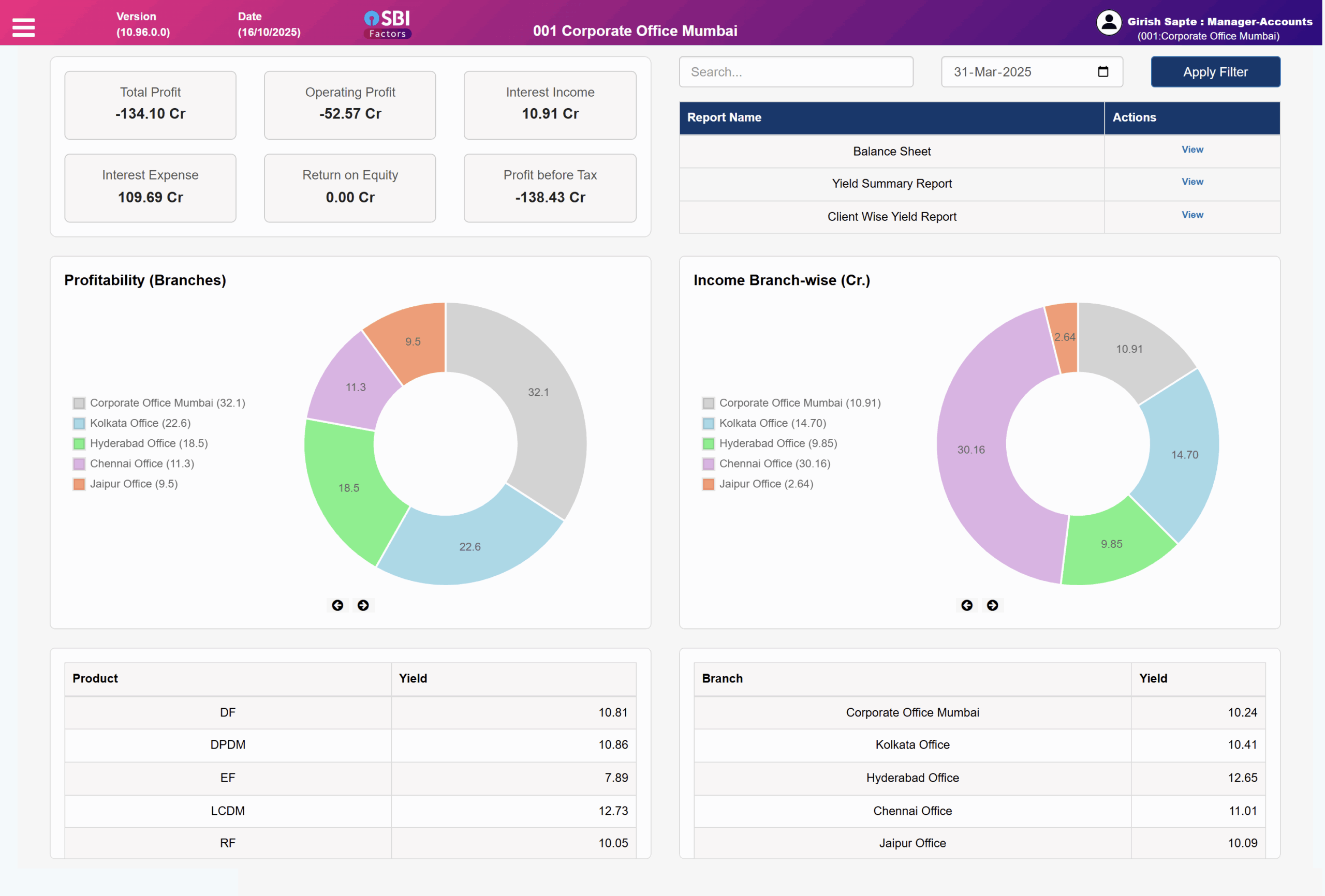
  • Total Profit: View overall profitability across the organization.

  • Operating Profit: Analyze profit generated from core operational activities.

  • Interest Income: Track revenue earned through interest on deposits or investments.

  • Interest Expense: Record and monitor interest paid on borrowings and loans.

  • Return on Equity: Evaluate business performance through equity-based profitability.

  • Profit Before Tax: Review financial performance before taxation impact.

  • Balance Sheet: Get a real-time snapshot of assets, liabilities, and equity.

  • Trial Balance: Verify accounting accuracy through consolidated debit-credit summary.

  • Day Book Reports: View day-to-day financial transactions across all vouchers.

  • Account Head Ledger: Access detailed ledgers for each account head for audit and analysis

Technology Stack

Looking for a solid software development partner?

Find out how we can help you

Call Now Button